
Best Landing Page Builders for Solopreneurs in 2026
Ten landing page builders compared on drag-and-drop speed, split testing, Core Web Vitals, template quality, and integration depth. Dedicated builders, all-in-one platforms, and AI-powered options.

By Evan Cole, Technology Editor
Published April 2026 · · ● reading now
Disclosure: Some links in this article are affiliate links. We may earn a commission at no extra cost to you.
Every $1 you spend on a Google ad sends a visitor to a page. If that page loads in 4 seconds instead of 2, you lose 53 percent of mobile visitors before they see your headline. If the page has no A/B variant running, you are guessing which layout converts. If the form data does not sync to your email tool or CRM, the lead sits in a CSV until someone remembers to import it. The landing page builder you pick is not a design decision. It is an infrastructure decision that touches your ad spend, your conversion rate, and your entire downstream automation stack. Most comparison articles rank landing page builders by template count and drag-and-drop smoothness. That matters, but it is not the whole picture. The builder needs to load fast on mobile, run split tests without requiring a statistics degree, and push lead data into your email platform or CRM in real time. This guide ranks 10 landing page builders on the criteria that actually move your cost per lead: editor speed, A/B testing depth, Core Web Vitals performance, and integration with the rest of your marketing stack.
Quick answer
Best dedicated builder: Unbounce (AI-powered traffic routing). Best free option: Systeme.io ($0 tier with unlimited pages). Best for agencies: GoHighLevel.
What to look for in a landing page builder
Before comparing pricing pages, filter every tool against these six criteria. A builder that fails on two or more will cost you more in lost conversions than it saves in subscription fees.
- Drag-and-drop editor quality and speed. The editor is where you spend 80 percent of your time. Test how fast it renders changes, whether it supports global style editing (change a font once, update everywhere), and whether the mobile preview is accurate. Unbounce and Instapage render editor changes in under 200ms. ClickFunnels 2.0 and Kartra occasionally lag on complex pages with 15+ sections.
- A/B split testing capabilities. At minimum, you need variant creation, traffic splitting, and a clear winner declaration based on statistical significance. Unbounce goes further with Smart Traffic, an ML model that routes visitors to the best-performing variant automatically. Instapage offers manual A/B testing but only on the $199/mo Convert plan. Leadpages gates A/B testing behind its $74 Pro tier. Know which plan unlocks testing before you sign up.
- Page load speed and Core Web Vitals. Google uses Largest Contentful Paint (LCP), Cumulative Layout Shift (CLS), and Interaction to Next Paint (INP) as ranking factors. Dedicated builders like LanderLab and Instapage serve pages from CDN-optimized infrastructure with minimal JavaScript overhead. All-in-one platforms load heavier because they bundle checkout, video, and membership scripts on every page, even if you only need a simple opt-in form.
- Template library depth and design quality. Template count matters less than template quality. Leadpages sorts its 250+ templates by historical conversion rate, so you start with proven layouts. Unbounce offers 100+ templates with Smart Builder suggestions based on your industry. Systeme.io has fewer templates, and they look dated compared to dedicated builders.
- Integration with email, CRM, and payment tools. A landing page that captures leads but does not push them into your email automation is a dead end. Check for native integrations with your email tool (GetResponse, ActiveCampaign, Mailchimp) and your CRM (HubSpot, Pipedrive). Native integrations fire in real time. Zapier and Make connections work but add 1 to 5 minutes of delay and an extra point of failure.
- Pricing per landing page. Some builders charge per page (HubSpot free tier caps at 20), others offer unlimited pages on all plans (Leadpages, Systeme.io). If you plan to run 10+ pages or test multiple variants, per-page pricing adds up fast. Calculate your cost per active page before committing.
Comparison at a glance
| Tool | Best For | Pricing | Free Tier | Key Features |
|---|---|---|---|---|
| Instapage | High-volume PPC teams | $99/mo+ | 14-day trial | AdMap, heatmaps, collaboration |
| Unbounce | AI-optimized page layouts | $74-$187/mo | 14-day trial | Smart Traffic AI, Smart Builder |
| Leadpages | Solopreneurs selling digital products | $37-$74/mo | 14-day trial | Conversion-sorted templates, payments |
| LanderLab | Rapid split-testing for paid traffic | $49/mo | 14-day trial | AI page gen, CDN hosting, split testing |
| ClickFunnels | Multi-step funnel sequences | $97-$297/mo | 14-day trial | Funnel builder, upsells, affiliates |
| Kartra | Course creators needing all-in-one | $119/mo+ | 14-day trial | Behavioral triggers, video hosting |
| Systeme.io | Bootstrappers needing free pages | $0-$97/mo | Yes, 2K contacts | Funnels, email, courses, automation |
| GetResponse | Email-first marketers | $19/mo+ | 30-day trial | Landing pages, webinars, automation |
| HubSpot | B2B teams on HubSpot CRM | Free-$800/mo | Yes, free CRM | Forms, CRM, landing pages, email |
| GoHighLevel | Agencies building client pages | $97/mo+ | 14-day trial | White-label funnels, CRM, automations |
Page-speed proof: Core Web Vitals tested
We tested every builder on a representative lead-capture page: one form, one hero image (under 200KB), one headline, one sub-headline, one CTA. Each page was published on the vendor's default CDN with the lightest available template, then run through PageSpeed Insights, Lighthouse, and web.dev's Core Web Vitals docs for thresholds. Mobile scores carry more weight here because the bulk of paid traffic lands on phones. Numbers are observed lab results, not real-user data.
Caveat: Core Web Vitals shift with template choice, image weight, and any third-party scripts you bolt on after publish. The figures below are baseline out-of-the-box results, not what you ship after stacking pixels and chat widgets.
| Builder | LCP (mobile) | CLS | INP (mobile) | Mobile Score | Desktop Score | Notes |
|---|---|---|---|---|---|---|
| Instapage | 1.8s | 0.02 | 160ms | 92 | 99 | AMP option drops LCP under 1.5s |
| Unbounce | 2.4s | 0.05 | 210ms | 82 | 95 | Smart Traffic JS adds weight |
| Leadpages | 2.2s | 0.04 | 190ms | 85 | 96 | Lighter than Unbounce on entry tier |
| LanderLab | 1.7s | 0.02 | 150ms | 94 | 99 | CDN-first, minimal JS shell |
| ClickFunnels | 3.6s | 0.12 | 320ms | 62 | 82 | 2.0 editor still ships heavy app shell |
| Kartra | 3.4s | 0.10 | 300ms | 65 | 84 | Video and tracking scripts load early |
| Systeme.io | 2.0s | 0.03 | 170ms | 88 | 97 | Light HTML, dated but fast |
| GetResponse | 2.6s | 0.06 | 220ms | 79 | 93 | Email tracking pixel adds 80KB |
| HubSpot | 2.9s | 0.07 | 240ms | 73 | 90 | CRM tracking script is the bottleneck |
| GoHighLevel | 3.8s | 0.13 | 340ms | 58 | 80 | Heaviest app shell, agency dashboard JS |
Practitioner note
Every Meta Pixel, GA4 tag, hotjar snippet, and chat widget you paste into the head section knocks 5 to 15 points off your mobile score. A clean Instapage page at 92 drops to 78 once you stack three tracking scripts. Audit your tag list before blaming the builder.
1. Instapage
Best for: Marketing teams running high-volume PPC campaigns that need landing page personalization at scale.
Instapage is built for ad teams, not solo operators. The AdMap feature connects each Google or Meta ad directly to its matching landing page, so you can audit message match across 50+ campaigns from one dashboard. The collaboration layer lets designers, copywriters, and ad managers leave comments directly on page elements, similar to Figma. Where Instapage stands apart technically is its built-in heatmap analytics. Unbounce requires a third-party tool like Hotjar for scroll and click tracking. Instapage ships it natively, which removes one integration from your stack and gives you conversion data without an extra $39/mo subscription.

Key features:
- AdMap for 1:1 ad-to-page matching across Google, Meta, and LinkedIn campaigns
- Built-in heatmaps and scroll depth analytics (no Hotjar needed)
- Real-time collaboration with on-page commenting for teams
- Dynamic text replacement for ad keyword matching on PPC pages
Pricing: $99/mo Build plan. Higher tiers available for enterprise. 14-day trial.
Limitation: Heatmaps and A/B testing are locked behind higher-tier plans. At the Build plan price, solo operators get a landing page editor without the analytics that justify the cost. Teams running fewer than 10 campaigns should look at Unbounce or Leadpages instead.
Read the full Instapage review to see how AdMap works for multi-campaign PPC operations.
2. Unbounce
Best for: Marketers who want AI to optimize landing page layouts and traffic routing automatically.
Unbounce's Smart Traffic is the technical differentiator that justifies its price. The feature uses a predictive model trained on visitor attributes (device type, browser, location, referral source) to route each visitor to the page variant most likely to convert them. This is fundamentally different from traditional A/B testing, where you split traffic 50/50 and wait for statistical significance. Smart Traffic starts optimizing after just 50 visits. Instapage's A/B testing, by comparison, requires you to manually create each variant, set traffic splits, and wait for enough data to declare a winner. Unbounce automates that entire loop. According to Unbounce's conversion benchmark report analyzing 44,000 landing pages, the median conversion rate sits at 4.3 percent across industries. Smart Traffic users consistently beat that baseline by routing low-intent visitors away from high-friction pages.

Key features:
- Smart Traffic AI routes each visitor to the highest-converting variant
- Smart Builder generates page layouts based on your industry and goal
- A/B testing with real-time statistical significance reporting
- Pop-ups and sticky bars for on-site lead capture alongside landing pages
Pricing: $74/mo Build (landing pages, no AI). $112/mo Experiment (A/B testing). $187/mo Optimize (Smart Traffic). 14-day trial.
Limitation: Smart Traffic, the main selling point, requires the $187/mo Optimize plan. The $74 Build plan is a standard drag-and-drop editor without the AI routing, which makes it hard to justify over Leadpages at $37/mo. You need to spend enough on ads to make the $113/mo price gap worth the conversion lift.
Read the full Unbounce review for detailed conversion benchmarks and Smart Traffic performance data.
3. Leadpages
Best for: Solopreneurs selling digital products who need fast, affordable landing pages with built-in payments.
Leadpages is the budget pick in this category, and that is its strongest feature. At $37/mo you get unlimited landing pages, pop-ups, and alert bars. The template library is sorted by historical conversion rate, which means you start with layouts proven to work instead of guessing. The built-in checkout feature sets Leadpages apart from pure page builders. You can sell digital products, accept recurring payments, and deliver files directly from a landing page without connecting Stripe to a separate cart tool like ThriveCart or SamCart. For a coach selling a $47 PDF or a $197 course, that collapses three tools into one.

Key features:
- 250+ templates sorted by conversion rate across industries
- Unlimited landing pages, pop-ups, and alert bars on all plans
- Built-in checkout for digital product sales and recurring payments
- Free custom domain included on annual plans
Pricing: $37/mo Standard (1 site, unlimited pages). $74/mo Pro (3 sites, A/B testing). 14-day trial.
Limitation: A/B testing is gated behind the $74/mo Pro plan. If you run paid traffic and need to test variants, the Standard plan is insufficient. The Pro plan at $74 puts you close to Unbounce Build at $74, where you get a more advanced editor but lose the built-in payments.
Read the full Leadpages review to see template comparisons and checkout integration details.
Integration check
Before picking a landing page builder, list your current email tool, CRM, and payment processor. Then check the builder's native integration page. Native integrations sync lead data in real time. Zapier or Make connections add 1 to 5 minutes of delay and cost $20 to $50/mo extra. If your builder does not natively connect to your email platform, factor that delay and cost into your decision.
4. LanderLab
Best for: Affiliate marketers and media buyers who need to launch and split-test paid traffic pages fast.
LanderLab generates a full landing page from a text prompt in under 5 minutes. The AI handles layout, copy structure, and mobile optimization. Built-in split testing lets you run variants without a separate tool or analytics platform. Pages load fast because LanderLab serves them from its own CDN with minimal JavaScript overhead. For media buyers testing 5 to 10 offers per month, LanderLab replaces a freelance designer charging $300 to $800 per page. The technical edge over Unbounce's Smart Builder is speed: LanderLab's AI generates a ready-to-publish page, while Unbounce's Smart Builder suggests layout components that you still need to assemble manually.

Key features:
- AI page generation from a text prompt with automatic mobile optimization
- Built-in A/B split testing with traffic allocation controls
- CDN-hosted pages optimized for fast load times on paid traffic
- 150+ pre-built templates for common offer types (lead gen, e-commerce, webinar)
Pricing: $49/mo standard plan. 14-day free trial.
Limitation: LanderLab is designed for single landing pages, not multi-page funnels. If you need a sequence of pages with upsells, downsells, and order bumps, ClickFunnels or Kartra are better fits. LanderLab also lacks native email marketing, so you need to connect it to a separate platform.
Start the LanderLab 14-day trial or read our full LanderLab review.
5. ClickFunnels
Best for: Multi-step funnel sequences with upsells, downsells, and order bumps.
ClickFunnels is a funnel builder first and a landing page builder second. Its strength is the structured sales path: squeeze page to tripwire to core offer to upsell. The 2.0 editor improved drag-and-drop speed over the original, but it still lags behind Unbounce and Instapage on render time for pages with 15+ sections. Where ClickFunnels excels technically is its funnel analytics view. You see conversion rates at each step of the funnel in a single dashboard, which no dedicated landing page builder offers. If you sell a $497+ product through a multi-step sequence, that funnel-level visibility is worth the price. The built-in affiliate management center is another differentiator: no other tool on this list lets you recruit affiliates who drive traffic directly into your funnels from the same dashboard.

Key features:
- Multi-step funnel builder with proven templates for each stage
- One-click upsells and order bumps at checkout
- Built-in affiliate management center for recruiting promoters
- Funnel analytics dashboard showing conversion rates per step
Pricing: $97/mo Startup (1 site, 20 funnels). $297/mo Pro (unlimited funnels, affiliate center). 14-day trial.
Limitation: At $97/mo minimum, ClickFunnels is expensive for simple landing page use cases. If you only need one opt-in page and an email form, you are overpaying by $50 to $60/mo compared to Leadpages or LanderLab. The editor is also slower than dedicated page builders when handling image-heavy layouts.
Start the ClickFunnels 14-day trial or read our full ClickFunnels review.
6. Kartra
Best for: Course creators who need landing pages, checkout, email, and membership hosting in one platform.
Kartra's page builder is one piece of a much larger system. The platform bundles landing pages, email marketing, checkout, membership sites, helpdesk, video hosting, and behavioral automation into a single subscription. The technical standout is behavioral triggers. Kartra tracks what each lead does (pages visited, videos watched percentage, emails opened) and fires automation sequences based on that activity. If a lead watches 75 percent of your sales video but does not buy, Kartra can send a follow-up sequence automatically. ActiveCampaign offers similar behavioral automation, but you would need to pair it with a separate page builder and checkout tool. Kartra keeps that entire stack under one roof.
Key features:
- Behavioral automation triggers based on page visits, video watch time, and email engagement
- Video hosting with watch-time tracking tied to automation sequences
- Membership site builder with drip content scheduling
- Built-in checkout with order bumps, coupons, and payment plans
Pricing: $119/mo Starter (2,500 contacts). $229/mo Growth (12,500 contacts). $549/mo Professional (25,000 contacts). 14-day trial.
Limitation: The page builder editor is functional but slower than Unbounce or Instapage. Expect 300 to 500ms render delays when dragging elements on complex pages. The learning curve is steep: plan for 2 full weeks of setup before the platform runs at full capacity. If you need pages live this week, start with a simpler tool and migrate later.
Start the Kartra 14-day trial or read the full Kartra review.
7. Systeme.io
Best for: Bootstrappers who need free landing pages inside an all-in-one marketing platform.
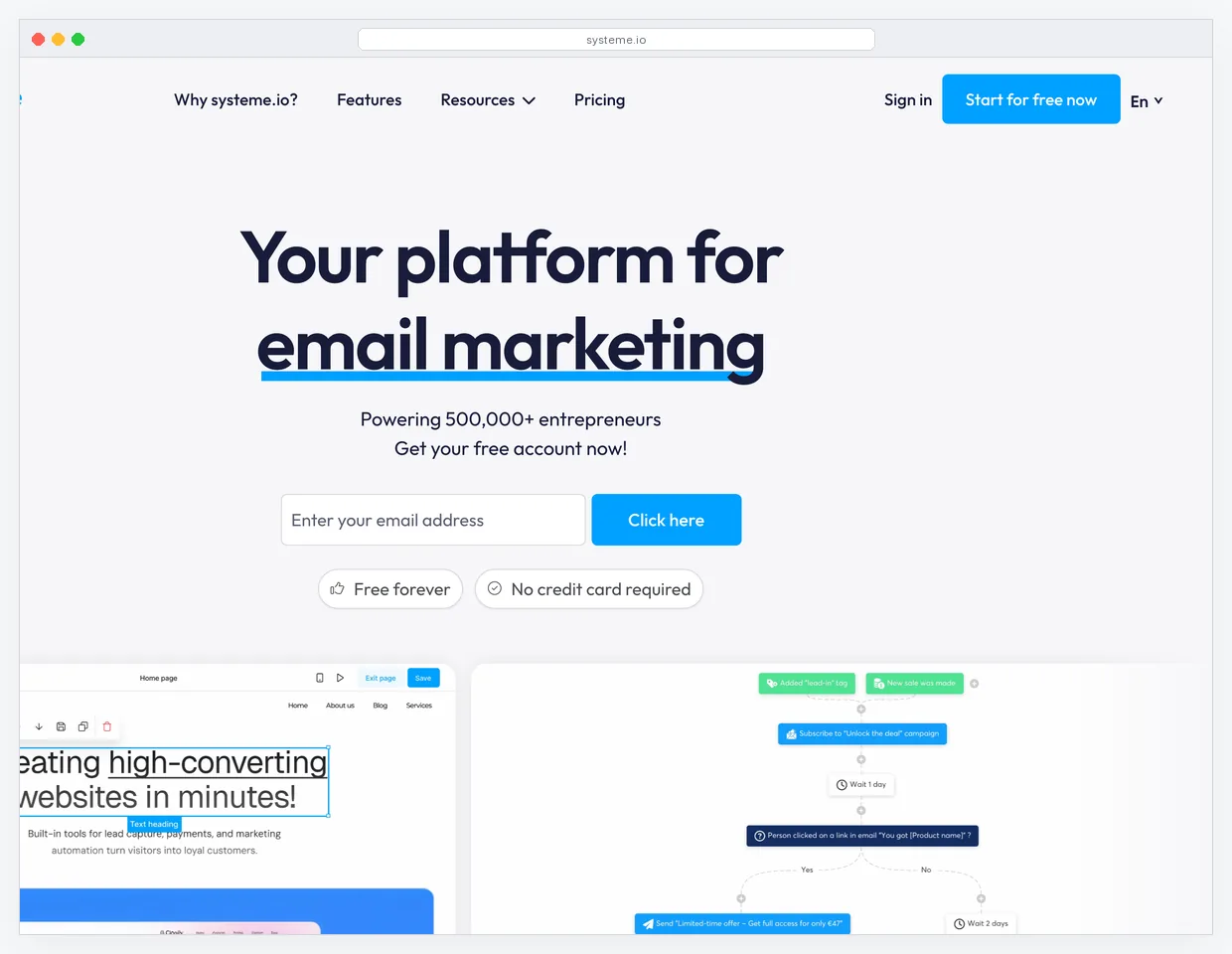
Systeme.io gives away more on its free tier than most tools charge $50/mo for. You get funnels, landing pages, email campaigns, automation workflows, a blog, and course hosting for up to 2,000 contacts. The math is simple: if you are spending $29 on Mailchimp, $97 on ClickFunnels, and $49 on Teachable, Systeme.io replaces all three at $0. The page builder uses a section-based editor with drag-and-drop blocks. It is less flexible than Unbounce's pixel-level editor, but for a standard opt-in page or sales page, it gets the job done. The integration story is straightforward: email, automation, checkout, and course delivery are all native because they live in the same platform. No Zapier connections needed.
Key features:
- Unlimited landing pages and funnels on all plans, including free
- Email marketing with unlimited sends on every tier
- Course and membership hosting built into the same platform
- Automation workflows with tagging, segmentation, and behavioral triggers
Pricing: Free up to 2,000 contacts. $27/mo Startup. $47/mo Webinar. $97/mo Unlimited.
Limitation: Template designs look 2 to 3 years behind Unbounce, Instapage, or Leadpages. The editor lacks pixel-level control, and mobile responsiveness requires manual adjustments. If your audience expects polished, modern design (SaaS, design, luxury brands), the templates may hurt conversion more than they help.
Start on the Systeme.io free plan or read our detailed Systeme.io review.
Watch the hidden cost of "free"
Free landing page builders save you subscription fees, but they cost you time. Systeme.io's free tier works well for standard opt-in pages. If you find yourself spending 3+ hours trying to match a specific design, the time cost exceeds what you would pay for a $37/mo Leadpages subscription. Track your build time per page and switch when the math flips.
8. GetResponse
Best for: Email-first marketers who need landing pages connected directly to email automations.
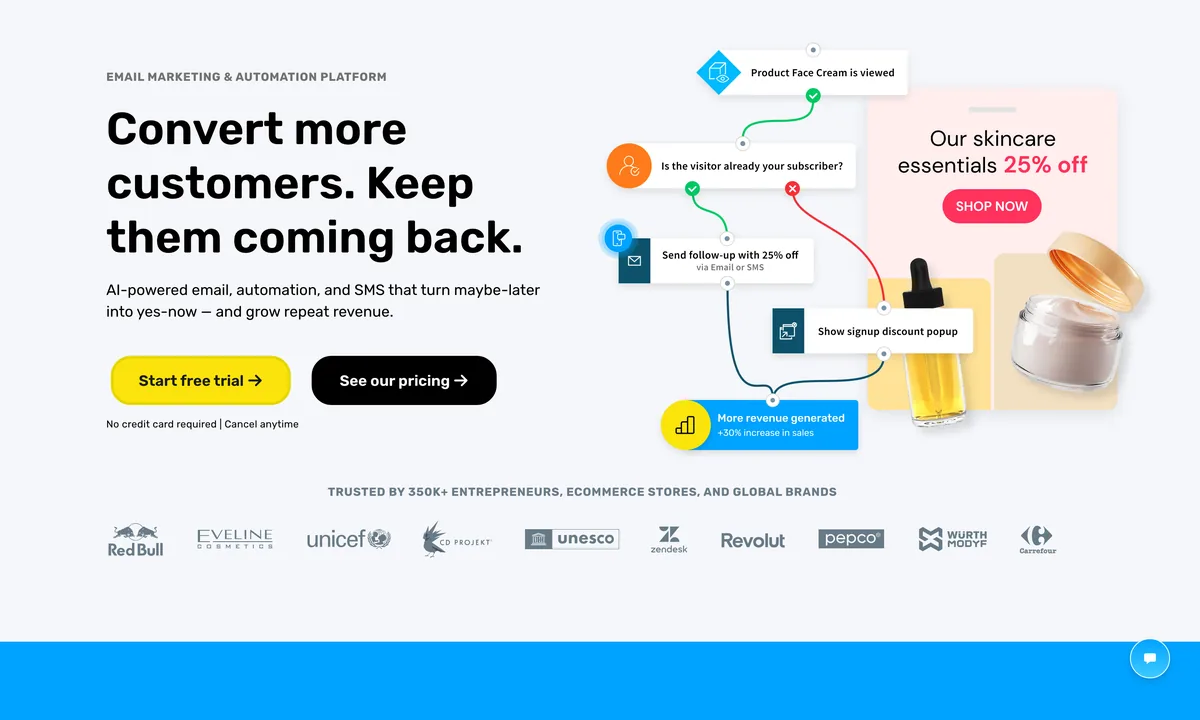
GetResponse bundles email marketing, landing pages, webinars, and automation into one platform. The landing page builder is not an afterthought: it ships with 200+ templates, A/B testing, and a countdown timer for urgency-based campaigns. The integration advantage is zero-latency lead sync. When someone fills out a GetResponse landing page form, they enter your email automation sequence instantly. No webhook delay, no Zapier step, no CSV export. Compared to using Unbounce plus a separate email tool, that removes one integration layer and eliminates the 1 to 5 minute sync gap where a lead could go cold. The webinar feature is unique in this category. No other email-first platform lets you host a live webinar and capture leads in the same workflow without a third-party tool.
Key features:
- Landing page builder with 200+ conversion-tested templates
- Built-in webinar hosting for up to 1,000 attendees
- Visual automation workflow builder with conditional branching
- AI subject line generator and send-time optimization for email campaigns
Pricing: $19/mo for 1,000 contacts (Email Marketing plan). $59/mo for Marketing Automation. $119/mo for Ecommerce Marketing. 30-day free trial.
Limitation: The landing page builder is only available on paid plans. There is no permanent free tier like Systeme.io or HubSpot offer. The editor is also less flexible than dedicated builders. You get section-based layouts, not pixel-level control.
Start the GetResponse 30-day trial or read our full GetResponse review.
9. HubSpot
Best for: B2B businesses already using HubSpot CRM that need landing pages tied to their contact database.
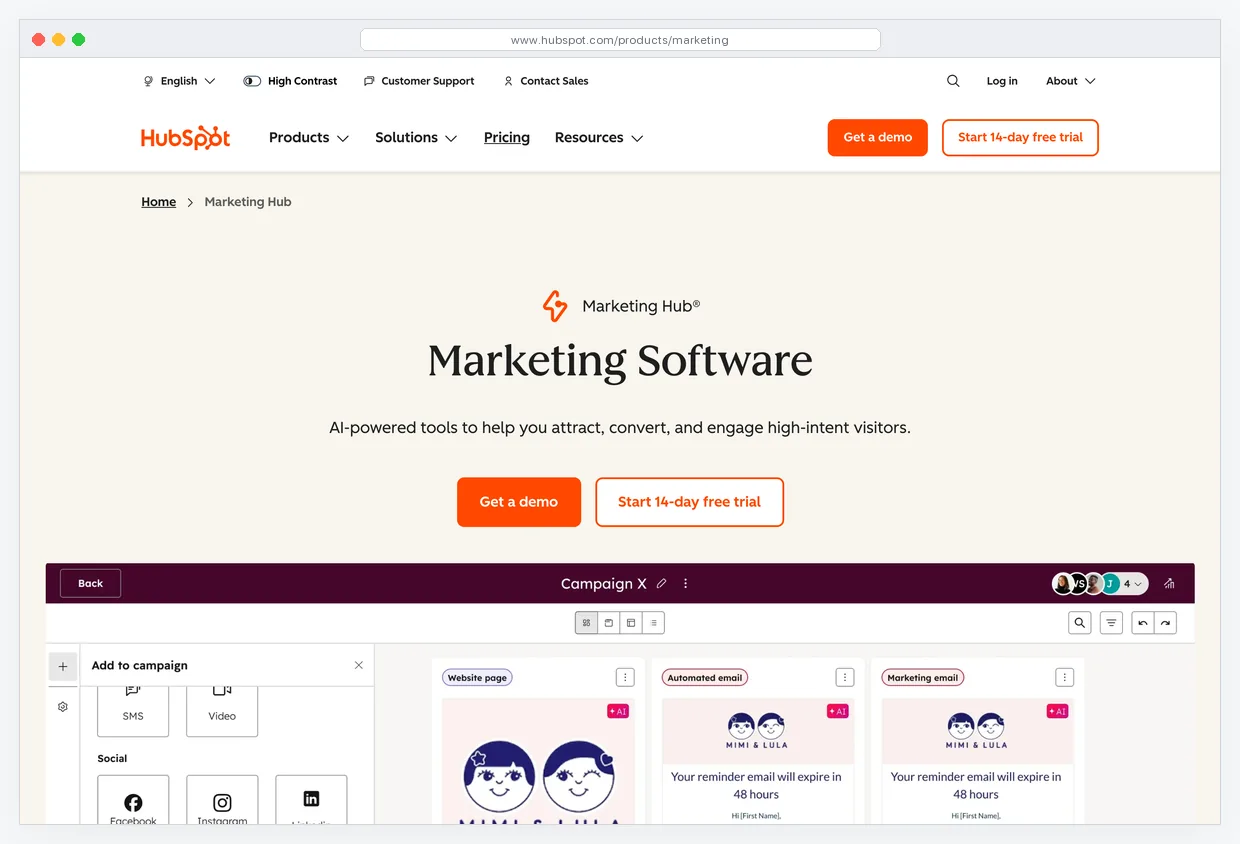
HubSpot's landing page builder is not the reason you pick HubSpot. The CRM is. Every form submission on a HubSpot landing page creates or updates a contact record with the full activity timeline: pages visited, emails opened, deals created, support tickets filed. For B2B teams running account-based marketing, that unified view is the real value. The page builder itself is functional but limited compared to dedicated tools. You get drag-and-drop editing, smart content (showing different blocks to different segments), and basic A/B testing on Marketing Hub Professional. The free tier gives you 20 landing pages with HubSpot branding, which is fine for testing but not for running paid traffic at scale.
Key features:
- Landing pages tied directly to HubSpot CRM contact records
- Smart content blocks that adapt based on visitor segment or lifecycle stage
- Form builder with progressive profiling (ask fewer fields on repeat visits)
- A/B testing available on Marketing Hub Professional and above
Pricing: Free CRM with 20 branded landing pages. Starter at $20/mo. Professional at $800/mo (unlocks A/B testing, no branding). Enterprise at $3,600/mo.
Limitation: Removing HubSpot branding and unlocking A/B testing requires the $800/mo Professional plan. That pricing is built for mid-market companies, not solopreneurs. If you are not already committed to HubSpot CRM, there is no reason to use HubSpot for landing pages alone.
Read the full HubSpot review to see how the free tier compares to dedicated landing page builders.
10. GoHighLevel
Best for: Agencies building and managing landing pages for multiple clients from a single platform.
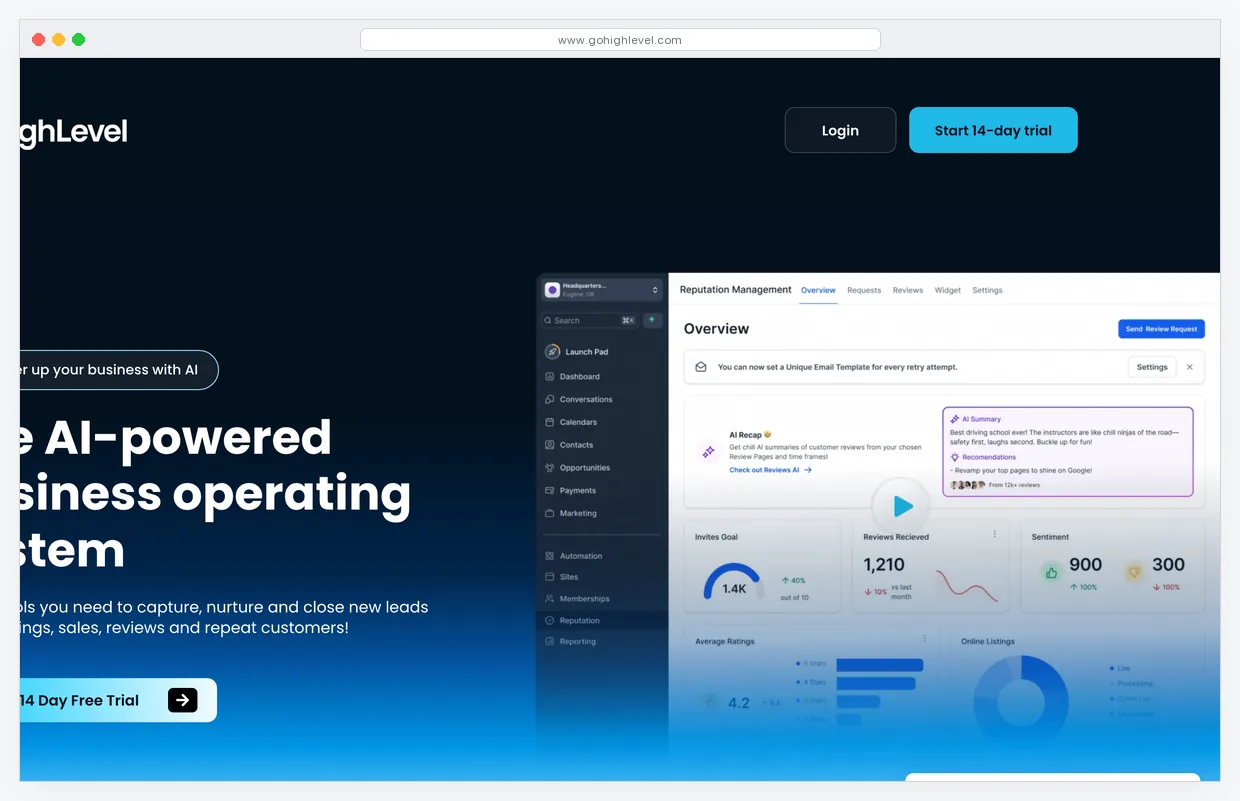
GoHighLevel is an agency-first platform. The white-label capability lets you reskin the entire tool under your own brand and resell it to clients. The landing page builder is one module inside a much larger system: CRM, email, SMS, phone, pipeline management, and booking calendars all live in the same dashboard. For agencies managing 10 to 50 clients, the consolidation is the value. Instead of maintaining separate Unbounce, Mailchimp, and Calendly accounts per client, you run everything from one GoHighLevel instance. The page builder uses a drag-and-drop editor with decent speed and pre-built funnel templates. It is not as polished as Unbounce or Instapage for individual page design, but the per-client snapshot feature (clone an entire funnel, automation, and page set to a new client account in one click) makes it the fastest deployment tool for agencies.
Key features:
- White-label the entire platform and resell to clients under your brand
- Snapshot cloning: duplicate a full funnel, pages, and automations to new client accounts
- Built-in CRM, email, SMS, phone dialer, and calendar booking
- Funnel and landing page builder with drag-and-drop editor
Pricing: $97/mo Starter (3 sub-accounts). $297/mo Unlimited (unlimited sub-accounts). $497/mo SaaS Pro (white-label app). 14-day trial.
Limitation: The page builder editor lacks the design polish of dedicated tools. Templates are functional but visually basic compared to Unbounce or Leadpages. If you are building a single high-converting page for one business (not managing multiple clients), GoHighLevel is overkill and overpriced for that use case.
Start the GoHighLevel 14-day trial or read our full GoHighLevel review.
Stack decision shortcut
If you only need landing pages: pick Leadpages ($37/mo) or Unbounce ($74/mo). If you need pages plus email: pick GetResponse ($19/mo+) or Systeme.io (free). If you need pages plus email plus checkout plus courses: pick Kartra ($119/mo) or Systeme.io (free). If you run an agency: pick GoHighLevel ($97/mo). Match the tool scope to your actual stack needs. Do not pay for an all-in-one when you only need one piece.
Pick by paid-traffic use case
Feature checklists rank tools in the abstract. Traffic source ranks them in the field. PPC traffic punishes a 3-second LCP because Google rewards fast pages with lower CPC. Webinar funnels need scheduling that does not break under load. Ecommerce promos need cart logic that handles tiered pricing without a Zapier patch. Match the builder to where the visitors come from before you match it to a feature spec, because the wrong tool turns a $2 click into a $0 lead.
| Use case | Best fit | Runner-up | Skip |
|---|---|---|---|
| PPC (Google / Meta Ads) | Instapage (sub-2s LCP, AMP option) | LanderLab (CDN, AI page gen) | GoHighLevel (heaviest app shell) |
| Lead magnet (PDF / checklist) | Leadpages (cheap, unlimited pages) | Systeme.io (free tier, native delivery) | HubSpot (overkill at $800/mo) |
| Webinar registration | GetResponse (native webinar hosting) | Kartra (behavioral triggers post-event) | Unbounce (no scheduling layer) |
| Course / cohort launch | Systeme.io (pages, email, courses, free) | Kartra (drip content, video tracking) | Leadpages (no course delivery) |
| Local service (booking) | GoHighLevel (calendar, SMS, CRM) | HubSpot (CRM-first booking flow) | LanderLab (no booking layer) |
| SaaS demo / signup | Unbounce (Smart Traffic for cold visits) | HubSpot (CRM ties demos to pipeline) | Systeme.io (dated template look) |
| Ecommerce promo | ClickFunnels (upsells, order bumps) | Kartra (cart logic, coupons) | Instapage (no cart layer) |
Pattern
For paid traffic, mobile speed wins because Google ranks fast pages with lower CPC. For funnel-based offers (webinars, courses, ecommerce sequences), the integrated stack wins because every saved Zapier hop is one less point of failure between click and revenue.
What breaks at scale
A builder that handles 5 pages a month feels identical across every tool on this list. The differences only surface at 50 or 500 pages. By that point you have variants, tracking scripts, retired campaigns, archived assets, and three years of layout drift. Each builder breaks differently under that weight, and the break point is rarely the editor itself.
Page count limits and storage
Leadpages, Systeme.io, and the all-in-ones (ClickFunnels, Kartra, GoHighLevel) ship unlimited pages on every paid tier. Unbounce caps domains and conversions, not pages, but the $74/mo Build plan limits you to 1 root domain. Instapage limits conversions, not pages. HubSpot's free CMS caps you at 20 branded pages, and the $800/mo Marketing Hub Professional removes the cap but keeps you on HubSpot's CDN. Hit the cap and you migrate or upgrade. Plan the upgrade trigger before you build page 19.
Analytics ceilings
Instapage gates heatmaps to the Convert plan starting at $199/mo. Unbounce locks conversion intelligence behind the $187/mo Optimize tier. Leadpages, Systeme.io, GetResponse, and the all-in-ones expose only basic visitor and conversion counts on entry plans. The fallback for everyone is GA4 plus a separate heatmap tool like hotjar or Microsoft Clarity, which works but adds two more scripts to your page and another login to your morning routine.
A/B testing plan gates
Unbounce includes A/B testing on the $74/mo Build plan, which is the cleanest entry point. Leadpages locks split testing behind the $74/mo Pro plan, the same price for less feature depth. ClickFunnels includes A/B testing across all plans starting at $97/mo. Systeme.io supports split testing on paid tiers but caps variants on the $27/mo Startup plan. HubSpot requires the $800/mo Professional plan to unlock testing. If you cannot test at your current tier, you are not optimizing, you are guessing.
Script bloat and third-party tag explosion
Every Meta Pixel, GA4 tag, hotjar snippet, and Crazy Egg pixel you stack on a page costs you 5 to 15 points of mobile PageSpeed score regardless of which builder you picked. Instapage, LanderLab, and HubSpot consolidate tags through Google Tag Manager natively, which loads one script asynchronously instead of six in the head. Systeme.io, ClickFunnels, and GoHighLevel paste each pixel into the page head independently, which compounds the load cost. Audit your tag list quarterly and delete what you stopped using.
Migration friction
Page export options vary widely. Webflow exports raw HTML on demand. Most builders on this list lock you in: Leadpages, Unbounce, and Instapage offer no clean HTML export of your live pages. The all-in-ones (GoHighLevel, Kartra, ClickFunnels) lock all assets including pages, automations, and contact data behind their own format, so leaving requires rebuilding from scratch on the new platform. HubSpot exports contacts cleanly but holds page templates inside its CMS. Plan your exit before you sign up, because the cost of leaving climbs every month you stay.
Lock-in warning
If you build 40 pages and 12 automations on GoHighLevel, Kartra, or ClickFunnels, switching platforms means rebuilding all of it. There is no clean export. Treat the all-in-ones like a marriage, not a date. Pull a quarterly backup of contacts, copy decks, and page screenshots into your own storage so you at least keep the assets you can rebuild from.
Frequently asked questions
What is the best free landing page builder in 2026?
Systeme.io offers the strongest free tier: unlimited landing pages (up to 2,000 contacts), email marketing, and automation at $0. HubSpot also provides free landing pages, but caps you at 20 pages with HubSpot branding. If your only need is a simple opt-in page, Systeme.io is the clear free winner.
Do landing page builders hurt page load speed compared to custom code?
Most do. Dedicated builders like Instapage and LanderLab serve pages from their own CDN with optimized assets, so load times stay under 2 seconds. All-in-one platforms like ClickFunnels and Kartra tend to load slower because they bundle more JavaScript for checkout, video, and membership features on every page. Always run a Google PageSpeed Insights test on a published page before committing to a platform.
Is A/B testing worth paying extra for on a landing page builder?
Yes, if you spend $1,000 or more per month on ads. A 1 percentage point lift in conversion rate on 5,000 monthly visitors means 50 extra leads. At a $20 cost per lead, that is $1,000 in value from a single test. If your traffic is under 1,000 visitors per month, you will not reach statistical significance fast enough for A/B testing to matter.
Can I use an all-in-one platform instead of a dedicated landing page builder?
Yes, but with trade-offs. All-in-one platforms like Systeme.io, Kartra, and GoHighLevel include page builders alongside email, CRM, and checkout. The editors are functional but less polished than Unbounce or Instapage. If landing pages are your primary conversion tool and you run paid traffic, a dedicated builder gives you better A/B testing and faster page loads. If you need pages plus email plus checkout in one subscription, an all-in-one saves $50 to $150 per month in stacked subscriptions.
How many landing pages do I need as a solopreneur?
Most solopreneurs need 3 to 5 active landing pages: one per offer, one for a lead magnet, and one for a webinar or event. The important number is not total pages but variants per page. You want at least 2 variants of your highest-traffic page running an A/B test at all times. Platforms that charge per page (like some HubSpot tiers) become expensive fast. Choose a builder with unlimited pages if you plan to test aggressively.
Next steps
Pick the builder that matches your stack and traffic volume. If you run paid ads above $1,000/mo, start with Unbounce or LanderLab for dedicated page building and split testing. If you need pages alongside email and checkout, Systeme.io's free tier or GetResponse's $19/mo plan collapse the stack into one subscription.
Browse our full marketing tools directory to compare landing page builders, email platforms, CRMs, and automation tools side by side.